Screenshot style breakdown
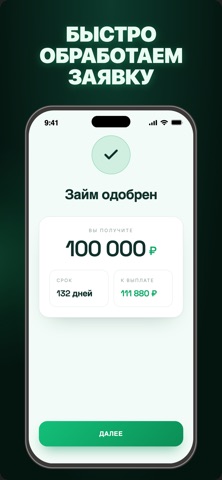
Sampled from 3 of Займы онлайн: Мерга's App Store screenshots — background, accent and theme, measured by LaunchShots (not something Apple publishes).
#04140C bg
#27342E
#0C945C accent
#FFFFFF text
Screenshots


Icon palette
About this app
С приложением «Займы онлайн: Мерга» вы можете быстро оформить заявку на получение займа. Для этого достаточно заполнить короткую анкету, после чего, при одобрении, денежные средства могут быть перечислены на вашу банковскую карту. Заявки принимаются и рассматриваются круглосуточно, включая выходные и праздничные дни. Решение по заявке обычно принимается в течение нескольких минут. Процентная ставка, сумма займа и срок возврата определяются индивидуально в соответствии с условиями договора займа. Годовая процентная ставка может составлять от 24,6% (min) до 32,15% (max). Период погашения долга от 62 до 365 дней. ООО МКК «Мерга» Адрес: 111401, город Москва, вн.тер.г. муниципальный округ Перово, ул. Новогиреевская, д. 18/31, помещ. 4/1/1 ОГРН: 1267700088633 ИНН: 7720963872 Лицензия ЦБ РФ: 2603045010263 от 07.05.2026
App details
What you can learn from Займы онлайн: Мерга
Every shipping app on the App Store has gone through the same decisions you're working through right now: which screenshot goes first, what caption sits over it, which device frame to show, what color the background should be. The 3 screenshots above are Займы онлайн: Мерга's answers to those questions — they're public, they're real, and they made it through Apple's review.
What the numbers say: Займы онлайн: Мерга runs a dark set with one background colour (#04140C) carried across every screenshot — the listing reads as a single poster when the shots sit side by side in search results. The accent colour we picked up, #0C945C, is the one to reuse for badges, arrows and highlighted words if you borrow this look. Hit Use this style to open the editor with these exact colours and drop your own screenshot in.
Notice the first screenshot in particular. It's the one users see in search results and on the product page, and it's where most apps spend their best caption and tightest design. Look at the proportion of background to phone, where the text sits, what one thing the image is trying to communicate.
Want to see how other Finance apps approach the same problem? Browse more Finance apps in the showcase.
Take what works into your own screenshots
Open LaunchShots and design your App Store & Google Play screenshots — pick a device frame, drop captions, ship in minutes. Free, in your browser.
Open the screenshot editor →Apps with a similar look
Closest background + accent colours among the listings we've analysed — useful when you want to see the same palette handled by a different team.