Screenshot style breakdown
Sampled from 3 of أبو الحروف - Abw Alhuruf's App Store screenshots — background, accent and theme, measured by LaunchShots (not something Apple publishes).
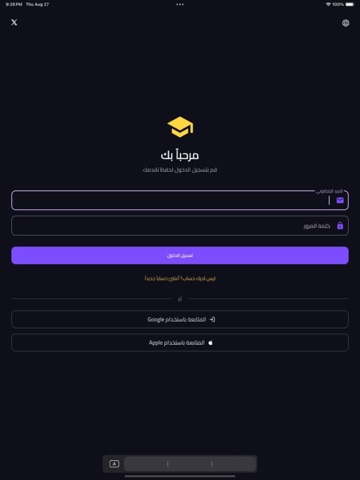
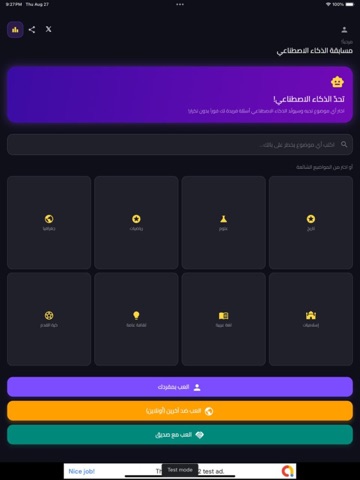
#14141C bg
#34343B
#5C0CAC accent
#FFFFFF text
Screenshots


iPad screenshots

Icon palette
About this app
هل أنت مستعد لتحدي عقلك وإثبات قوة معلوماتك؟ تطبيق "أبو الحروف" يقدم لك تجربة تفاعلية متطورة في عالم ألعاب المسابقات. بفضل دمج التقنيات الذكية المتقدمة، يمكنك الآن اختبار معلوماتك في أي موضوع يخطر ببالك. سواء كنت شغوفاً بالتاريخ، العلوم، الرياضة، الفنون، أو الثقافة العامة، التطبيق جاهز ليصنع لك تحدياً معرفياً لا يُنسى. المميزات الرئيسية لتطبيق أبو الحروف: أسئلة متجددة في كافة المجالات: قم بكتابة الموضوع الذي تفضله، وسيقوم النظام بتوليد أسئلة حصرية وجديدة خصيصاً لك في غضون ثوانٍ. نظام صعوبة متكيف: التطبيق يحلل مستواك باستمرار. كلما أجبت بشكل صحيح وزادت سلسلة إجاباتك المتتالية، زاد التحدي وأصبحت الأسئلة أكثر صعوبة لتتناسب مع تطور قدراتك. الخصم التفاعلي: استمتع بتجربة لعب غير تقليدية مع تعليقات الخصم الافتراضي المتفاعلة مع إجاباتك، مما يضيف طابعاً تنافسياً ممتعاً بعد كل سؤال. اللعب الجماعي وقائمة المتصدرين: ادخل في تحديات مباشرة، وتنافس مع لاعبين آخرين، واصعد نحو القمة في قائمة المتصدري…
App details
What you can learn from أبو الحروف - Abw Alhuruf
Every shipping app on the App Store has gone through the same decisions you're working through right now: which screenshot goes first, what caption sits over it, which device frame to show, what color the background should be. The 6 screenshots above are أبو الحروف - Abw Alhuruf's answers to those questions — they're public, they're real, and they made it through Apple's review.
What the numbers say: أبو الحروف - Abw Alhuruf runs a dark set with one background colour (#14141C) carried across every screenshot — the listing reads as a single poster when the shots sit side by side in search results. The accent colour we picked up, #5C0CAC, is the one to reuse for badges, arrows and highlighted words if you borrow this look. Hit Use this style to open the editor with these exact colours and drop your own screenshot in.
Notice the first screenshot in particular. It's the one users see in search results and on the product page, and it's where most apps spend their best caption and tightest design. Look at the proportion of background to phone, where the text sits, what one thing the image is trying to communicate.
Want to see how other Games apps approach the same problem? Browse more Games apps in the showcase.
Take what works into your own screenshots
Open LaunchShots and design your App Store & Google Play screenshots — pick a device frame, drop captions, ship in minutes. Free, in your browser.
Open the screenshot editor →Apps with a similar look
Closest background + accent colours among the listings we've analysed — useful when you want to see the same palette handled by a different team.