Screenshot style breakdown
Sampled from 3 of SVF Referee's App Store screenshots — background, accent and theme, measured by LaunchShots (not something Apple publishes).
#042C2C bg
#274949
#2CBC74 accent
#FFFFFF text
Screenshots


iPad screenshots


Icon palette
About this app
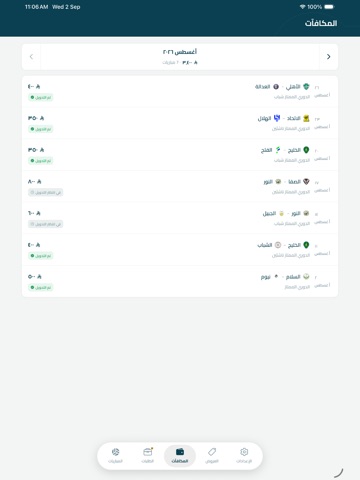
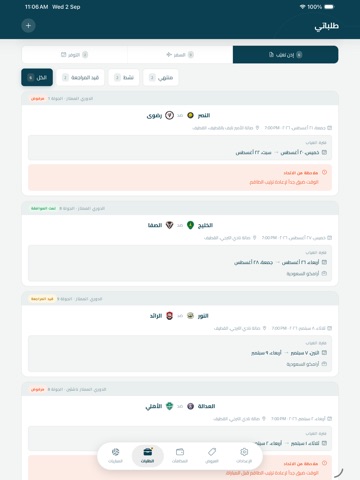
التطبيق الرسمي لحكام الاتحاد السعودي للكرة الطائرة، يتيح لك متابعة كل ما يتعلق بمسيرتك التحكيمية من مكان واحد. من خلال التطبيق يمكنك: • استقبال تكليفات المباريات ومراجعة تفاصيلها (الفرق، الصالة، الموعد) والرد عليها بالقبول أو الاعتذار • متابعة مبارياتك القادمة والسابقة وحالتها لحظة بلحظة • تقديم طلبات السفر للمباريات خارج مدينتك ومتابعة حالتها • تقديم طلبات الاعتذار عن التكليفات وتسجيل فترات عدم التوفر • متابعة مستحقاتك المالية عن كل مباراة وحالة صرفها • إدارة ملفك الشخصي: البيانات الأساسية، مقاسات الزي، الشهادات والمستوى التحكيمي • عرض بطاقة الحكم الرقمية الخاصة بك • استلام إشعارات فورية عند وصول تكليف جديد أو تحديث حالة طلب أو مباراة • الاطلاع على عروض وخصومات حصرية لحكام الاتحاد صُمم التطبيق ليكون نقطة الاتصال الرئيسية بين الحكم ولجنة الحكام، بما يوفر الوقت والجهد ويضمن دقة التواصل بشأن كل تكليف. جميع البيانات محمية ومشفّرة أثناء النقل، ولا يتم استخدامها لأي غرض إعلاني.
App details
What you can learn from SVF Referee
Every shipping app on the App Store has gone through the same decisions you're working through right now: which screenshot goes first, what caption sits over it, which device frame to show, what color the background should be. The 7 screenshots above are SVF Referee's answers to those questions — they're public, they're real, and they made it through Apple's review.
What the numbers say: SVF Referee runs a mixed light-and-dark set where the background shifts from screenshot to screenshot (first shot #042C2C) — each image has to stand on its own, so the captions carry more of the story. The accent colour we picked up, #2CBC74, is the one to reuse for badges, arrows and highlighted words if you borrow this look. Hit Use this style to open the editor with these exact colours and drop your own screenshot in.
Notice the first screenshot in particular. It's the one users see in search results and on the product page, and it's where most apps spend their best caption and tightest design. Look at the proportion of background to phone, where the text sits, what one thing the image is trying to communicate.
Want to see how other Sports apps approach the same problem? Browse more Sports apps in the showcase.
Take what works into your own screenshots
Open LaunchShots and design your App Store & Google Play screenshots — pick a device frame, drop captions, ship in minutes. Free, in your browser.
Open the screenshot editor →Apps with a similar look
Closest background + accent colours among the listings we've analysed — useful when you want to see the same palette handled by a different team.