Screenshot changes — detected by LaunchShots
Screenshot style breakdown
Sampled from 6 of Moneo: Control de gastos's App Store screenshots — background, accent and theme, measured by LaunchShots (not something Apple publishes).
#FC8C04 bg
#DD7B03
#FCBC5C accent
#111111 text
Screenshots

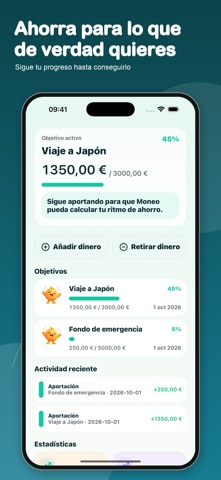


iPad screenshots

Icon palette
About this app
Controla tus gastos, organiza tu dinero y descubre cuánto puedes gastar cada día sin perder de vista tus objetivos de ahorro. Moneo es una app de finanzas personales que transforma tus ingresos, gastos y ahorro en algo mucho más sencillo: saber cuánto dinero tienes realmente disponible hoy. En lugar de limitarse a registrar gastos, Moneo hace las cuentas por ti. Tiene en cuenta tus ingresos, gastos fijos, movimientos y objetivos de ahorro para calcular tu presupuesto y ayudarte a tomar mejores decisiones con tu dinero. TU PRESUPUESTO, DÍA A DÍA Descubre cuánto puedes gastar hoy y cómo evoluciona tu dinero durante los próximos días. Si gastas menos, Moneo redistribuye tu presupuesto; si gastas más, adapta las cantidades futuras para que siempre tengas una visión actualizada. UN PRESUPUESTO QUE SE ADAPTA A TI Tu presupuesto no es estático. Si hoy gastas menos de lo previsto, Moneo pue…
App details
What you can learn from Moneo: Control de gastos
Every shipping app on the App Store has gone through the same decisions you're working through right now: which screenshot goes first, what caption sits over it, which device frame to show, what color the background should be. The 10 screenshots above are Moneo: Control de gastos's answers to those questions — they're public, they're real, and they made it through Apple's review.
What the numbers say: Moneo: Control de gastos runs a mixed light-and-dark set where the background shifts from screenshot to screenshot (first shot #FC8C04) — each image has to stand on its own, so the captions carry more of the story. The accent colour we picked up, #FCBC5C, is the one to reuse for badges, arrows and highlighted words if you borrow this look. Hit Use this style to open the editor with these exact colours and drop your own screenshot in.
Notice the first screenshot in particular. It's the one users see in search results and on the product page, and it's where most apps spend their best caption and tightest design. Look at the proportion of background to phone, where the text sits, what one thing the image is trying to communicate.
Want to see how other Finance apps approach the same problem? Browse more Finance apps in the showcase.
Take what works into your own screenshots
Open LaunchShots and design your App Store & Google Play screenshots — pick a device frame, drop captions, ship in minutes. Free, in your browser.
Open the screenshot editor →Apps with a similar look
Closest background + accent colours among the listings we've analysed — useful when you want to see the same palette handled by a different team.