Screenshot changes — detected by LaunchShots
Screenshot style breakdown
Sampled from 6 of 即见 Near - 取件码取餐码·锁屏行动中心's App Store screenshots — background, accent and theme, measured by LaunchShots (not something Apple publishes).
#0C4C6C bg
#2E6580
#4C7C9C accent
#FFFFFF text
Screenshots



Icon palette
About this app
把散落在截图、短信和随手记录里的事情,整理成用得上的事项卡片。取件时看码,出行时看车次和座位,事情做完就收起。 【认出信息,接着行动】 输入文字、粘贴通知,或导入截图,即见通过本机识别提取事项信息。取件取餐、车票航班、电影演出、停车位置、清单、倒计时等,各有适合自己的卡片。识别后可以查看、修改和补充内容。 【需要时,一眼可见】 选择现在展示、预约展示或仅保存在 App 内。在支持的设备上,用灵动岛、锁屏实时活动、小组件和 Apple Watch 查看关键信息。多个取件码可逐个完成,取完自动切换下一件。 自动展示受系统权限和执行机会影响,也可手动开始。航班卡片展示保存的信息,不提供实时航班动态。 【记录与安排放在一起】 随手记备忘、列清单、写日记。用不同事项类型整理出行、生活和日常提醒,再按自己的节奏处理。 【免费功能与即见 Pro】 本机识别不限次数,无需注册账号。普通本地卡片不限数量;免费版可保留最多 3 张排程卡和 3 个重复事项。 Pro 提供更多主题与外观设置、更多分享样式、可选 iCloud 同步,以及不限数量的排程卡和…
App details
What you can learn from 即见 Near - 取件码取餐码·锁屏行动中心
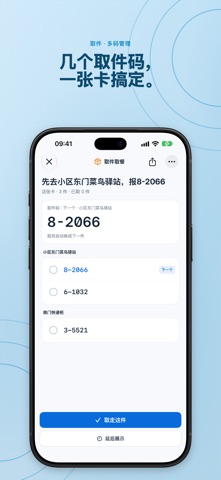
Every shipping app on the App Store has gone through the same decisions you're working through right now: which screenshot goes first, what caption sits over it, which device frame to show, what color the background should be. The 8 screenshots above are 即见 Near - 取件码取餐码·锁屏行动中心's answers to those questions — they're public, they're real, and they made it through Apple's review.
What the numbers say: 即见 Near - 取件码取餐码·锁屏行动中心 runs a mixed light-and-dark set where the background shifts from screenshot to screenshot (first shot #0C4C6C) — each image has to stand on its own, so the captions carry more of the story. The accent colour we picked up, #4C7C9C, is the one to reuse for badges, arrows and highlighted words if you borrow this look. Hit Use this style to open the editor with these exact colours and drop your own screenshot in.
Notice the first screenshot in particular. It's the one users see in search results and on the product page, and it's where most apps spend their best caption and tightest design. Look at the proportion of background to phone, where the text sits, what one thing the image is trying to communicate.
Want to see how other Productivity apps approach the same problem? Browse more Productivity apps in the showcase.
Take what works into your own screenshots
Open LaunchShots and design your App Store & Google Play screenshots — pick a device frame, drop captions, ship in minutes. Free, in your browser.
Open the screenshot editor →Apps with a similar look
Closest background + accent colours among the listings we've analysed — useful when you want to see the same palette handled by a different team.