Chart position — tracked daily by LaunchShots
Screenshot style breakdown
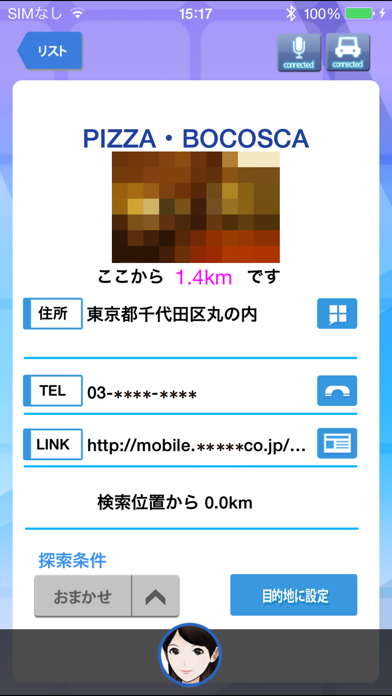
Sampled from 5 of Drive T@lker's App Store screenshots — background, accent and theme, measured by LaunchShots (not something Apple publishes).
#FCFCFC bg
#DDDDDD
#F4F494 accent
#111111 text
Screenshots
Icon palette
About this app
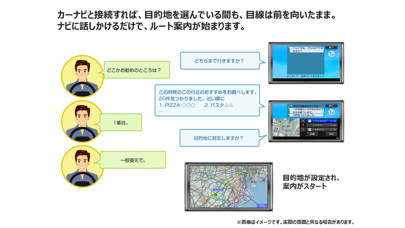
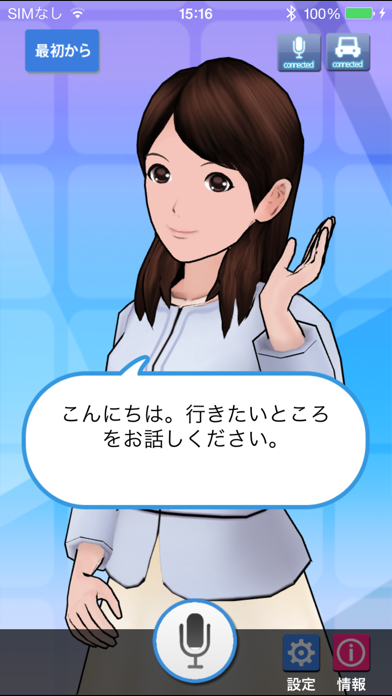
<お知らせ> 2020年11月以降、音声で登録ポイントを指定する機能がご利用できなくなります。 ご利用いただいている皆様には大変ご迷惑をお掛けしますが、何卒ご理解の程よろしくお願いいたします。 <<iOS12.4以上で音声認識機能をご使用になる場合のご注意>> ご使用のiPhoneがiOS12.4以上の場合、音声認識機能を使用できない場合があります。Drive T@lkerアプリを画面上に表示したままご使用いただきますよう、お願いいたします。 ■商品説明 「Drive T@lker」を使えば、行きたいところの検索もスマートフォンに話しかけるだけ。 対応のカーナビと接続していれば、目的地選びからルート案内まで、ナビとの会話でできます! ■注意事項 -「Drive T@lker」のご利用には、対応カーナビとiPhoneとのBLUETOOTH(R)接続設定を行う必要があります。 接続方法の詳細は、対応するカーナビの取扱説明書および接続ガイドをご確認ください。 <接続ガイド(スマートフォン用サイト)> https://panasonic.jp/car/navi/drivetalker/select.html#Iphone -アプリが正…
App details
What you can learn from Drive T@lker
Every shipping app on the App Store has gone through the same decisions you're working through right now: which screenshot goes first, what caption sits over it, which device frame to show, what color the background should be. The 5 screenshots above are Drive T@lker's answers to those questions — they're public, they're real, and they made it through Apple's review.
What the numbers say: Drive T@lker runs a light set where the background shifts from screenshot to screenshot (first shot #FCFCFC) — each image has to stand on its own, so the captions carry more of the story. The accent colour we picked up, #F4F494, is the one to reuse for badges, arrows and highlighted words if you borrow this look. Hit Use this style to open the editor with these exact colours and drop your own screenshot in.
Notice the first screenshot in particular. It's the one users see in search results and on the product page, and it's where most apps spend their best caption and tightest design. Look at the proportion of background to phone, where the text sits, what one thing the image is trying to communicate.
Want to see how other Navigation apps approach the same problem? Browse more Navigation apps in the showcase.
Take what works into your own screenshots
Open LaunchShots and design your App Store & Google Play screenshots — pick a device frame, drop captions, ship in minutes. Free, in your browser.
Open the screenshot editor →Apps with a similar look
Closest background + accent colours among the listings we've analysed — useful when you want to see the same palette handled by a different team.