Chart position — tracked daily by LaunchShots
Screenshot style breakdown
Sampled from 6 of Sound Sleeper: 赤ちゃん用ホワイトノイズ's App Store screenshots — background, accent and theme, measured by LaunchShots (not something Apple publishes).
#BCACA4 bg
#A59790
#FCBC04 accent
#111111 text
Screenshots

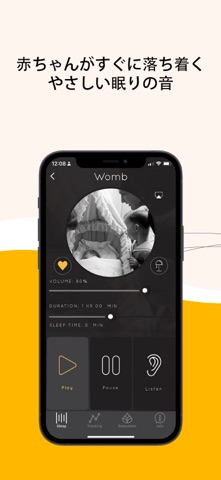


iPad screenshots


Icon palette
About this app
寝不足で疲れ果てていませんか? Sound Sleeperは、最もぐずる赤ちゃんも数分で落ち着かせ、眠りにつかせます。だから、あなたもついに必要な休息を得ることができます。 私たちは、効果が実証された音だけを厳選しました。無数の選択肢をスクロールする必要はありません。 - 新生児に効果的な5つの音(子宮音やヘアドライヤーの音など) - 乳児向けの4つの音(扇風機の音や雨音など) - 幼児向けの4つの音(海の音や市場の音など) - 親向けの特別な3つの音(ニューハンプシャーの雷雨音など—多くの親が絶賛しています!) まだまだあります! さらに、あなたの休息をサポートする機能も満載です。 夜中の2時に誰かの助けが欲しいと思ったことはありませんか?そんな時のために、私たちは独自の「リッスン」機能を開発しました。赤ちゃんが泣き始めると、選んだ音を自動的に再生して、赤ちゃんを再び眠りに導きます(まるで魔法のように効果的です)。 赤ちゃんの睡眠時間を記録できたら素敵だと思いませんか?私たちの「スリープトラッキング」機能が、赤ちゃ…
App details
What you can learn from Sound Sleeper: 赤ちゃん用ホワイトノイズ
Every shipping app on the App Store has gone through the same decisions you're working through right now: which screenshot goes first, what caption sits over it, which device frame to show, what color the background should be. The 17 screenshots above are Sound Sleeper: 赤ちゃん用ホワイトノイズ's answers to those questions — they're public, they're real, and they made it through Apple's review.
What the numbers say: Sound Sleeper: 赤ちゃん用ホワイトノイズ runs a light set where the background shifts from screenshot to screenshot (first shot #BCACA4) — each image has to stand on its own, so the captions carry more of the story. The accent colour we picked up, #FCBC04, is the one to reuse for badges, arrows and highlighted words if you borrow this look. Hit Use this style to open the editor with these exact colours and drop your own screenshot in.
Notice the first screenshot in particular. It's the one users see in search results and on the product page, and it's where most apps spend their best caption and tightest design. Look at the proportion of background to phone, where the text sits, what one thing the image is trying to communicate.
Want to see how other Health & Fitness apps approach the same problem? Browse more Health & Fitness apps in the showcase.
Take what works into your own screenshots
Open LaunchShots and design your App Store & Google Play screenshots — pick a device frame, drop captions, ship in minutes. Free, in your browser.
Open the screenshot editor →Apps with a similar look
Closest background + accent colours among the listings we've analysed — useful when you want to see the same palette handled by a different team.