Screenshots



Icon palette
About this app
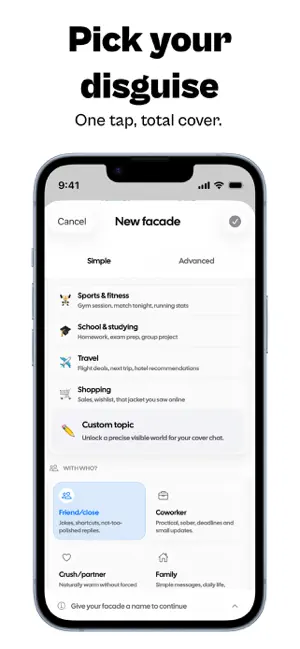
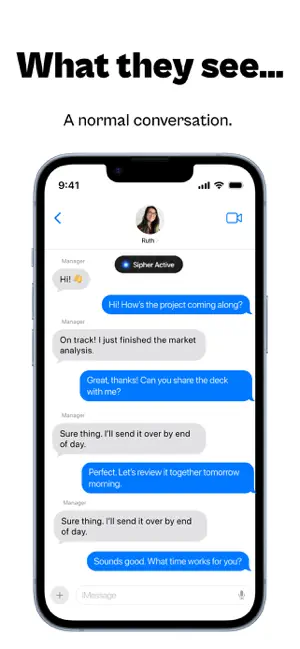
Sipher is a privacy app built for real life—when you need to keep something discreet, but still look natural on your phone. Create a cover conversation: a chat that appears completely normal on the surface, while protecting what you actually want to keep private. Choose a credible topic, generate a clean and realistic thread, and maintain a natural look if someone happens to glance at your screen. Simple, fast, and designed for mobile, Sipher turns privacy into a discreet, intelligent experience you can actually use every day. HOW IT WORKS 1. Set up your cover Pick who the conversation is for and what it should look like on the surface—plans, work talk, gossip, movies, food, and more. 2. Generate a believable chat Sipher creates a realistic conversation that feels natural, so your screen never looks suspicious. 3. Stay discreet in the moment Your cover conversation helps you keep …
App details
What you can learn from SIPHER: Invisible Messages
Every shipping app on the App Store has gone through the same decisions you're working through right now: which screenshot goes first, what caption sits over it, which device frame to show, what color the background should be. The 5 screenshots above are SIPHER: Invisible Messages's answers to those questions — they're public, they're real, and they made it through Apple's review.
Notice the first screenshot in particular. It's the one users see in search results and on the product page, and it's where most apps spend their best caption and tightest design. Look at the proportion of background to phone, where the text sits, what one thing the image is trying to communicate.
Want to see how other Utilities apps approach the same problem? Browse more Utilities apps in the showcase.
Take what works into your own screenshots
Open LaunchShots and design your App Store & Google Play screenshots — pick a device frame, drop captions, ship in minutes. Free, in your browser.
Open the screenshot editor →