App Store Rating Optimization 2026: How to Hit 4.5+ Stars
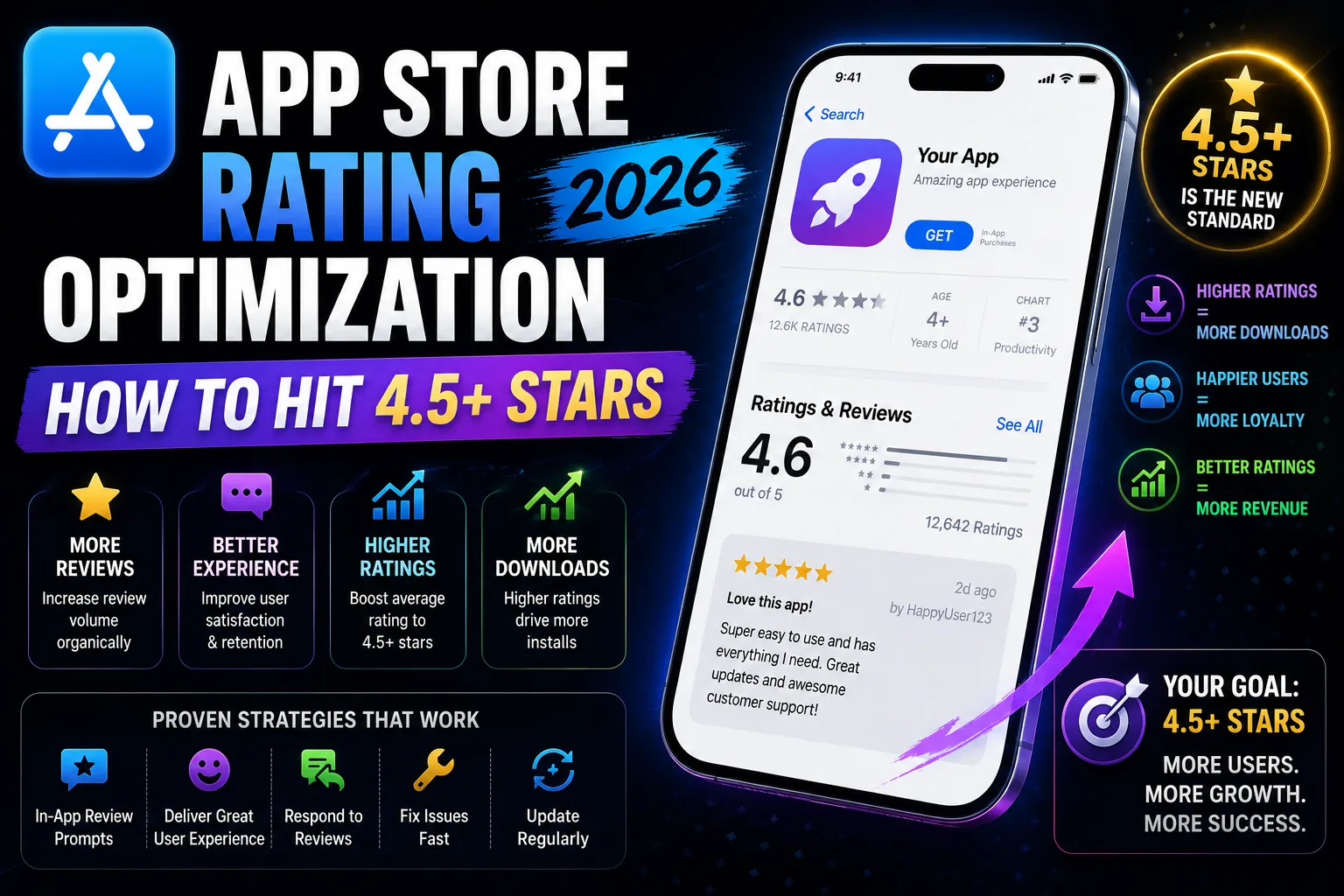
Your app's star rating is the single highest-leverage ASO input that most indie developers leave entirely to chance. The data is stark: apps with 4.5+ stars install at 1.7–3x the rate of apps under 4.0, convert nearly 2x better than apps at 4.0, and rank measurably higher across competitive keywords. The difference between 4.0 and 4.5 stars isn't 12.5% — it's the difference between sustainable organic growth and permanent obscurity. Most indie apps drift to 3.6–4.0 stars because they fire the default iOS review prompt on session three to everyone, including users who just hit a paywall or experienced a crash. The apps holding 4.7+ stars run deliberate prompt strategies with segmentation logic, sentiment gating, and active review response. This is the operator-level guide to App Store rating optimization in 2026: the timing rules, the segmentation logic, the review-response framework, and the exact playbook to lift your rating from "okay" to "above 4.5" within 90 days.
Why 4.5+ stars matters more than you think
The conversion math is what changes the calculus. Independent benchmarks from AppTweak, Sensor Tower, AppFollow, and Adapty in 2026 consistently show:
- 4.5+ stars apps install at 1.7–3x the rate of sub-4.0 apps. Holding all other ASO factors constant, the rating delta alone produces this gap.
- 4.5 stars converts nearly 2x of 4.0. Move from 4.0 → 4.5 and your install-conversion roughly doubles.
- Below 3.5 stars, you lose visibility on 3x more competitive keywords. The algorithm down-weights low-rated apps in ranking.
- Half of users reject apps rated below 3 stars outright. They don't read your description; they bounce.
- Featured placement on both stores is gated almost entirely by rating. Sub-4.0 apps rarely get featured, regardless of how much effort goes into design or marketing.
- Ratings older than 12 months are down-weighted in 2026. Both stores look at recent reviews more than lifetime averages. Velocity matters.
Rating isn't just a vanity number on your product page. It's a multiplier on every other ASO input you've optimized. A perfect title and keyword field on a 3.8-star app will lose to a mediocre listing on a 4.6-star app. Every time.
The math on what 0.5 stars actually means
For a hypothetical app with 100,000 monthly impressions:
At 4.0 stars:
- Tap-through-to-install: ~15%
- Installs: 15,000
At 4.5 stars:
- Tap-through-to-install: ~28% (1.9x lift)
- Installs: 28,000
That's 13,000 additional installs from the same impressions — roughly 86% more, just by lifting the average rating by 0.5 stars. At any monetization model, that's enormous. For a subscription app at $5 LTV per install, that's $65,000 in additional monthly revenue.
The compounding effect over time is even larger. Higher ratings → more installs → more reviews → more chances at high ratings → algorithm sees velocity → boost in rankings → more impressions. The flywheel runs both ways. Below 4.0, the negative flywheel pulls you down. Above 4.5, the positive flywheel pulls you up.
The two hard caps you cannot brute-force
Before any strategy, the constraints. Apple and Google both cap how often you can prompt users:
- Apple SKStoreReviewController: Maximum 3 prompts per user in any 365-day rolling window. Apple silently fails additional prompts beyond the limit — your code may execute the call, but no UI appears. Use them deliberately.
- Google In-App Review API: Undocumented quota (typically estimated at 4–5 prompts per year per user, possibly lower for power users). Like Apple, additional prompts silently fail.
You cannot brute-force volume by prompting more often. Both stores designed the APIs to prevent prompt spam. The only way to win is to make every prompt count by firing it at the right moment to the right user.
When to fire the review prompt (the timing rules)
The single biggest determinant of prompt success is timing. The patterns that consistently produce 4.5+ ratings:
- After a positive milestone, not on session N. "User completed their first workout" beats "User opened the app 3 times" by a wide margin. Milestones signal value experienced; session counts signal nothing.
- After the user's 3rd+ session, not their first. First-session users don't have enough experience to evaluate fairly. Apple's own guidance: wait until users have "experienced enough of the app to form an opinion."
- When the user has been using the app for at least 5–7 days. Same-week prompts catch users still in the honeymoon phase. Week-old users have settled into real usage patterns.
- After a successful core action, not a frustration point. Habit tracker completed week 1 → prompt. Habit tracker after the user just struggled to set up notifications → don't prompt.
- Not after a crash, payment failure, or sub-30-second session. These users are about to churn or are already frustrated. Asking them for a rating produces 1–2 stars at high rates.
- Not immediately after they paid. Post-purchase users are in evaluation mode. Wait a few days for the value to be experienced.
Real example of well-placed prompts in different categories:
- Habit tracker: User checks off habit on a 7+ day streak.
- Fitness app: User completes their 3rd workout of the week.
- Photo editor: User saves their 5th edited photo.
- Note-taking app: User has been using the app for 10+ days and just synced data to another device.
- Language learning: User completes a lesson without errors.
- Game: User clears the first major level or unlocks a meaningful achievement.
The common thread: the user just experienced value, and the prompt arrives in that emotional window. Outside that window, you're firing into the void.
Sentiment gating: the 0.4–0.7 star lift technique
The single highest-impact rating optimization technique allowed by both stores: pre-prompt sentiment gating. The flow:
- Step 1: Detect the value moment. User completes a meaningful action (see timing rules above).
- Step 2: Show a non-store custom dialog first. "How are we doing?" or "Are you enjoying [app]?" with two options: "Loving it" or "Could be better."
- Step 3: Branch on the response. Users who tap "Loving it" → trigger the native review prompt (SKStoreReviewController or Google's In-App Review). Users who tap "Could be better" → route to an in-app feedback form or email link.
- Step 4: Capture feedback from unhappy users. The in-app feedback form lets you address concerns directly, often turning a potential 2-star review into a fixed bug and a happy user.
The math: if 70% of users tap "Loving it" and you only prompt those 70% with the store rating, your average store rating shifts up dramatically. The 30% who would have given 1–3 stars never reach the store review — they reach your inbox where you can actually help them.
Both Apple and Google explicitly allow this pattern, as long as your custom dialog isn't deceptive. Apple's guidelines: you can't gate based on rating ("Would you give us 5 stars?") but you can gate based on sentiment ("Are you enjoying the app?"). The distinction matters.
Real apps using sentiment gating report 0.4–0.7 star average rating improvements within 90 days. It's the single most effective rating intervention available in 2026.
Segmentation: who to never prompt
The corollary to "when to prompt" is "when to never prompt." The user segments that consistently produce low-rated reviews:
- Users who crashed in the current session. Wait at least 7 days after a crash before prompting.
- Users who hit a paywall in the last 24 hours. Paywall friction is fresh. Let them either convert or settle into the free experience before asking.
- Users whose sessions are under 30 seconds. They haven't experienced the app. Prompting them produces uninformed ratings.
- Users who reported a bug in the last 14 days. They have an unresolved frustration. Asking for a rating is asking for a 1-star.
- Users who churned and came back after 30+ days. They have complicated feelings. Let them re-engage for a few sessions before prompting.
- Users whose first session was less than 24 hours ago. Even with milestones, give the experience time to settle.
- Users who have already been prompted twice this year. One prompt remaining — save it for a major milestone, not a random check-in.
Implementing this segmentation requires server-side or client-side state tracking. The complexity is worth it: poorly-segmented prompts can drag your average rating down by 0.3–0.5 stars over 90 days, which is the same magnitude as good segmentation lifts it up.
Responding to reviews: the 70% revision opportunity
Apple and Google both allow developer responses to public reviews. The data on responses is striking:
- 70% of users update their review after receiving a response. Most of those revisions are upward — a 1-star user who gets a thoughtful response often changes to 3–4 stars.
- Google Play averages a 0.7-star rating improvement for apps that actively respond vs. those that don't.
- Response time matters but consistency matters more. Responding within 24 hours is ideal; responding within 7 days consistently is acceptable; never responding is damaging.
- 1–3 star reviews should target 100% response rate. The lift opportunity is largest here.
- 4–5 star reviews should target 50%+ response rate. Thank them, mention specific things they praised, signal humanity.
The response framework that consistently produces revisions:
- Acknowledge the issue specifically. Don't write "Sorry you had a bad experience." Write "We understand the sign-up flow is confusing for first-time users and we're rebuilding it for the next release."
- Take responsibility, don't deflect. "You're holding it wrong" responses tank ratings further. "This is on us" responses earn revisions.
- Offer a concrete path forward. Give them a support email, point to a fix coming in version X.Y, or invite them to email you directly.
- Keep it short and human. 2–4 sentences. Generic corporate responses feel automated.
- Sign with a real name. "— Sarah, indie dev behind [App]" outperforms "[App] Support Team."
For the 4–5 star responses, keep them genuine — "Thanks for noticing the new export feature, we worked hard on it" outperforms generic gratitude.
What to do if your rating is already below 4.0
The recovery playbook when you're starting from 3.7–3.9 stars:
- Step 1: Audit your last 50 reviews. Identify the top 3–5 issues users complain about. Bug, missing feature, confusing onboarding, performance — categorize.
- Step 2: Fix the top 2 issues in the next release. Don't try to fix everything; pick the issues mentioned most often.
- Step 3: Respond to every 1–3 star review. Apologize, acknowledge specifically, mention the fix coming in the next version.
- Step 4: Ship the fix and bump your version number visibly. Users notice version updates and often re-evaluate.
- Step 5: Implement sentiment gating. Stop letting unhappy users reach the public review without first venting privately.
- Step 6: Prompt only at milestones, with strict segmentation. Refer back to timing rules above.
- Step 7: Wait 90 days. Rating averages shift slowly. Be patient.
Apps that follow this playbook consistently lift from 3.7–3.9 to 4.3–4.6 within 90 days. The biggest variable is whether you actually fix the issues users are complaining about — no prompt strategy compensates for an app that still has the same bug.
What never works (and often makes things worse)
Patterns that consistently fail or backfire:
- Prompting on session 2 to everyone. The default iOS behavior for apps that don't customize the prompt. Drives rating down by attracting uninformed reviews.
- Asking "Would you rate us 5 stars?" Explicit rating bait violates Apple's guidelines and produces low ratings from skeptical users.
- Buying fake reviews. Apple purged 143 million fake reviews in 2024 and terminated 146,000+ developer accounts. Fake reviews are detected algorithmically and result in account termination. Don't.
- Incentivizing reviews ("review for a discount"). Banned by both stores. Detected via review pattern analysis. Account termination risk.
- Ignoring 1-star reviews. Silence reinforces the negative signal for prospective users reading the reviews tab.
- Generic auto-responses to every review. Templated responses read worse than no response at all. Users notice.
- Asking immediately after a payment. Buyer's remorse window. Wait 7+ days post-purchase before prompting.
- Linking to a Google Form or external survey instead of the native prompt. External feedback doesn't update your store rating. The native API is the only mechanism that actually changes your number.
Tracking your rating health
The metrics that indicate whether your rating strategy is working:
- 30-day rolling average rating: The number most prospective users see. Track this; not the all-time average.
- Recent review velocity: Reviews per week over the last 4 weeks. Trending up is healthy.
- Star distribution: The histogram of 1–5 star reviews in the last 90 days. Healthy apps have a heavy 5-star bias with a small 1-star tail.
- Response rate by star bucket: What percentage of 1-3 star reviews have you responded to? Target 100%.
- Rating delta after major releases: Does the average rating move when you ship updates? If yes, releases are addressing real issues. If no, you're shipping features that don't matter to ratings.
Both App Store Connect and Google Play Console show these metrics natively. Tools like AppFollow, AppTweak, Sensor Tower, and AppReply offer deeper analytics for teams managing multiple apps.
Localization: rating per region
Ratings are aggregated per country on the App Store and per locale on Google Play. This means your 4.6 average in the US can coexist with a 3.8 average in Germany or a 4.1 in Japan. If you're losing rank in a specific region, the local rating is usually the cause.
Practical advice:
- Check per-region rating breakdowns in App Store Connect. "Trends" → "Reviews" → filter by territory.
- If a specific region is dragging, audit reviews in that region's language. Often there's a language-specific bug, translation issue, or local payment problem.
- Respond in the user's language. A response in English to a German-language complaint reads as ignored. Use translation if needed.
- Localized in-app prompts perform better than English-only. The native review API uses the user's locale automatically; your custom sentiment gating dialog should match.
Frequently asked questions
How many times can I prompt a user for a review per year?
Apple's SKStoreReviewController caps prompts at 3 per user in any 365-day rolling window. Google's In-App Review API has an undocumented quota, typically estimated at 4-5 prompts per year. Both APIs silently fail additional prompts beyond the limit.
Can I ask "Would you rate us 5 stars?"
No. Explicit rating bait violates Apple's App Store Review Guidelines and produces lower ratings from skeptical users. You can ask "Are you enjoying the app?" (sentiment) but not "Would you give us 5 stars?" (rating bait).
Is sentiment gating against store policies?
No. Both Apple and Google allow non-store custom dialogs that ask sentiment-based questions (not rating-based). Routing happy users to the store prompt and unhappy users to in-app feedback is explicitly allowed, as long as the custom dialog isn't deceptive.
How long until rating changes show up?
Both stores update rating displays daily, but the visible average changes slowly because it's lifetime-weighted. The 30-day rolling average that prospective users see updates faster but still takes 2-4 weeks to show meaningful shifts.
Should I respond to 5-star reviews too?
Yes, at least 50% of the time. Responding to positive reviews signals humanity, encourages other users to leave reviews, and creates social proof readable by prospective users. Keep these responses specific and brief.
Can I delete or hide negative reviews?
No, you cannot remove legitimate reviews. You can report reviews that violate Apple or Google policies (offensive language, fake content, off-topic), which gets reviewed. Most negative reviews don't qualify and stay public.
What's the ideal review prompt copy?
For sentiment gating: "Are you enjoying [App Name]?" with "Loving it" and "Could be better" options. For the native store prompt itself, Apple controls the UI — you don't write the copy. Google's In-App Review API similarly uses system UI.
How do I know if a user is "happy enough" to prompt?
The most reliable signal is post-milestone behavior: completing a task, hitting a goal, finishing a session, returning multiple times. Engineering this requires tracking app events. Most analytics SDKs (Mixpanel, Amplitude, Firebase) make this straightforward.
Will fake reviews actually help?
No, and the risk is severe. Apple terminated 146,000+ developer accounts in 2024 for fake review violations and removed 143 million fake reviews. Detection is algorithmic and improving. Any short-term lift is overwhelmed by the account termination risk.
How is rating tied to ranking?
Both stores use star ratings and review velocity as ranking inputs. Apps under 4.0 lose visibility on competitive keywords. Apps with rising velocity get ranking boosts. The exact weight is opaque, but the directional effect is consistent across all observable ASO data.
The bottom line
Star ratings are the highest-leverage ASO input that indie developers most consistently leave to chance. The math is unforgiving: 4.5+ apps install at nearly 2x the rate of 4.0 apps, and below 3.5 stars you lose visibility on three times more competitive keywords. The path to 4.5+ isn't tricks or hacks — it's disciplined prompting (at milestones, never at frustration points), strict segmentation (never prompt after crashes, paywalls, or sub-30-second sessions), sentiment gating (route unhappy users to private feedback instead of public reviews), and active response to every 1-3 star review. Apps that implement this playbook lift from 3.7–4.0 to 4.4–4.7 within 90 days, and the rating compound effect drives installs, rankings, and featured placement for years after.
Star ratings are part of the broader ASO picture. Our guide on getting your first 10 App Store reviews covers the early-stage version of this problem, when you have no reviews at all. For the metadata side of ASO, our 100-character keyword guide, title vs subtitle guide, and 4,000-character description guide cover the writing side. And for the visuals that drive tap-through to install (which determines how many reviews you can ever get), our screenshots that convert guide covers what works in 2026.
Related posts
Make your App Store screenshots free
LaunchShots is a free, in-browser screenshot maker. No signup, no watermark.
Open the app →
Comments (0)